Rescue · Updated 22 Oct 2026 · 2 min
Rescue tokens from a compromised wallet
The full walkthrough, screen by screen.
Step 1: Wallets & Assets
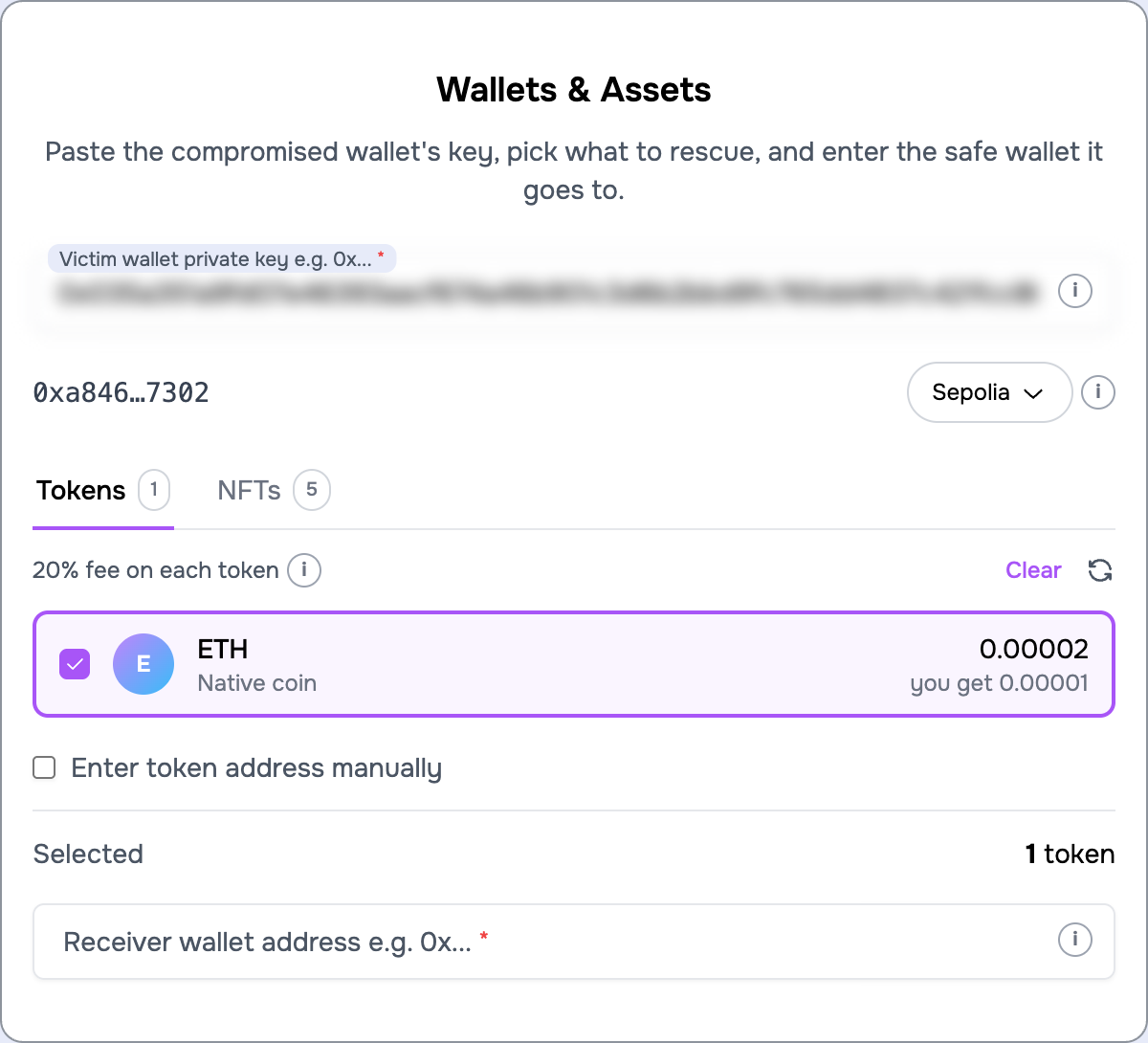
- Paste the compromised private key. The wallet's address appears under the field so you can check it, and the key is blurred while you are not editing it. The "i" next to any field explains what it is for.
- Pick the chain from the pill next to the address. Tokens live on one chain each; to rescue on another chain, run the rescue again afterwards. Your sponsor wallet is reused.
- Pick the tokens. The app lists what it finds with the amount, and once selected, what your safe wallet will receive after the fee. "Select all" takes everything. If a token is missing, tick "Enter token address manually" and paste its contract address.
- Pick NFTs on the NFTs tab, if the wallet has any. See Rescue NFTs.
- Enter the safe wallet address. The app refuses the compromised wallet itself.
The "Selected" line above the receiver field keeps a running count. "Next" is enabled once something is selected and the receiver address is valid.
Step 2: Review & Pay Gas
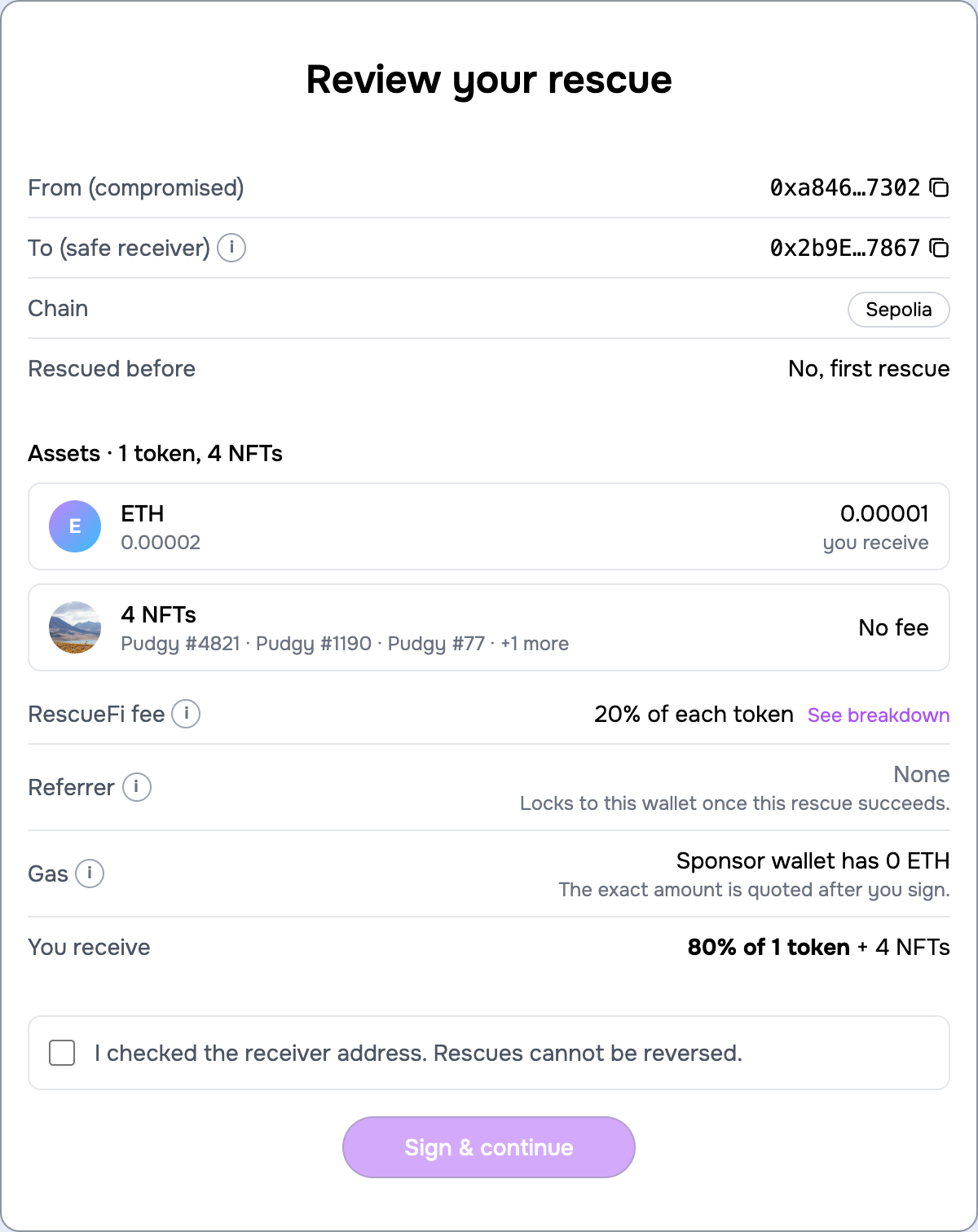
- Review. One screen with both addresses, the chain, whether this wallet was rescued before, each asset with what you will receive, the fee, the referrer if you arrived through an invite link, and what your sponsor wallet holds. "See breakdown" shows the fee per token. Tick the box confirming you checked the receiver; rescues cannot be reversed.
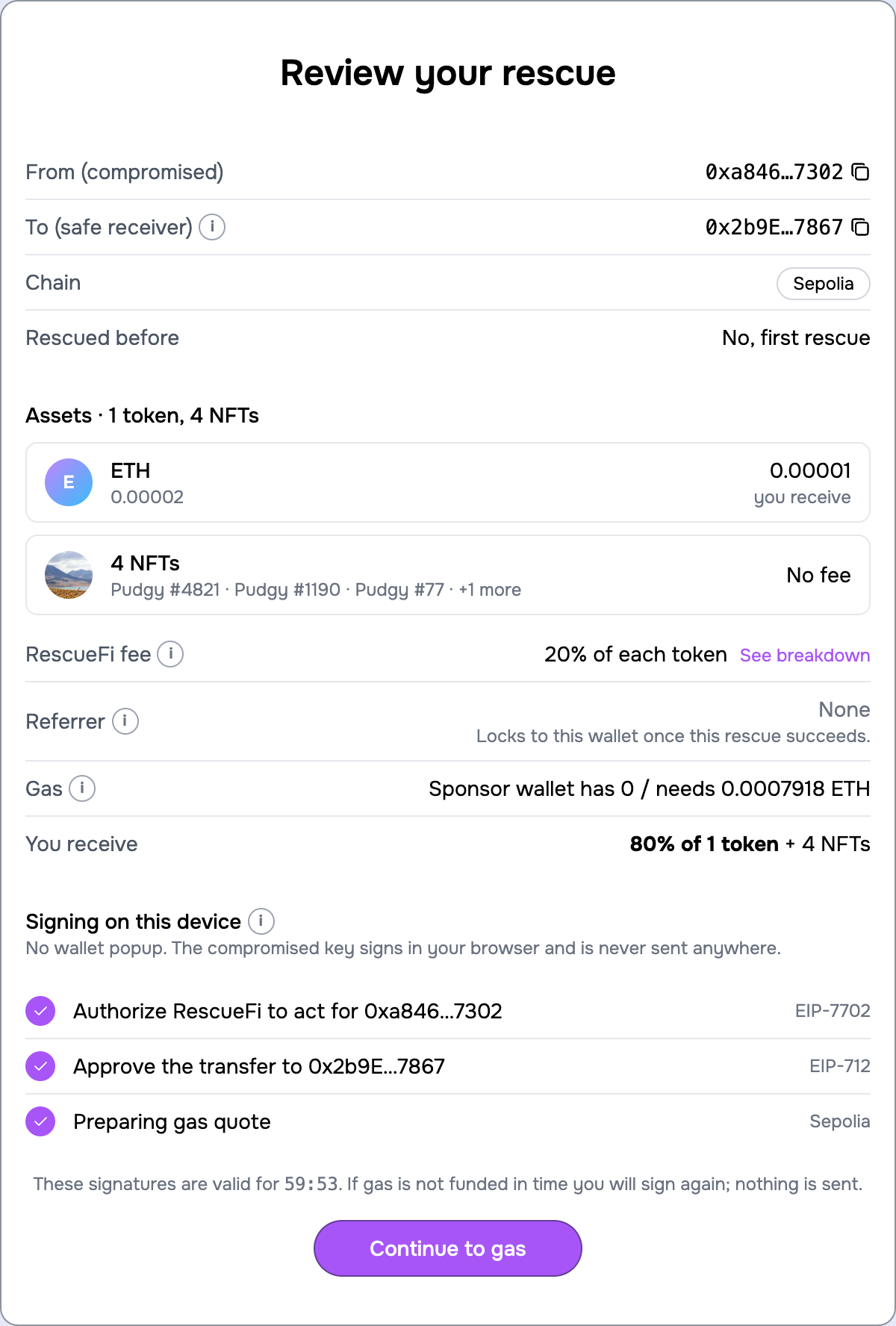
- Sign. Both signatures are made in your browser the moment you press "Sign & continue". No wallet popup. A gas quote is prepared at the same time, and the countdown shows how long the signatures stay valid.
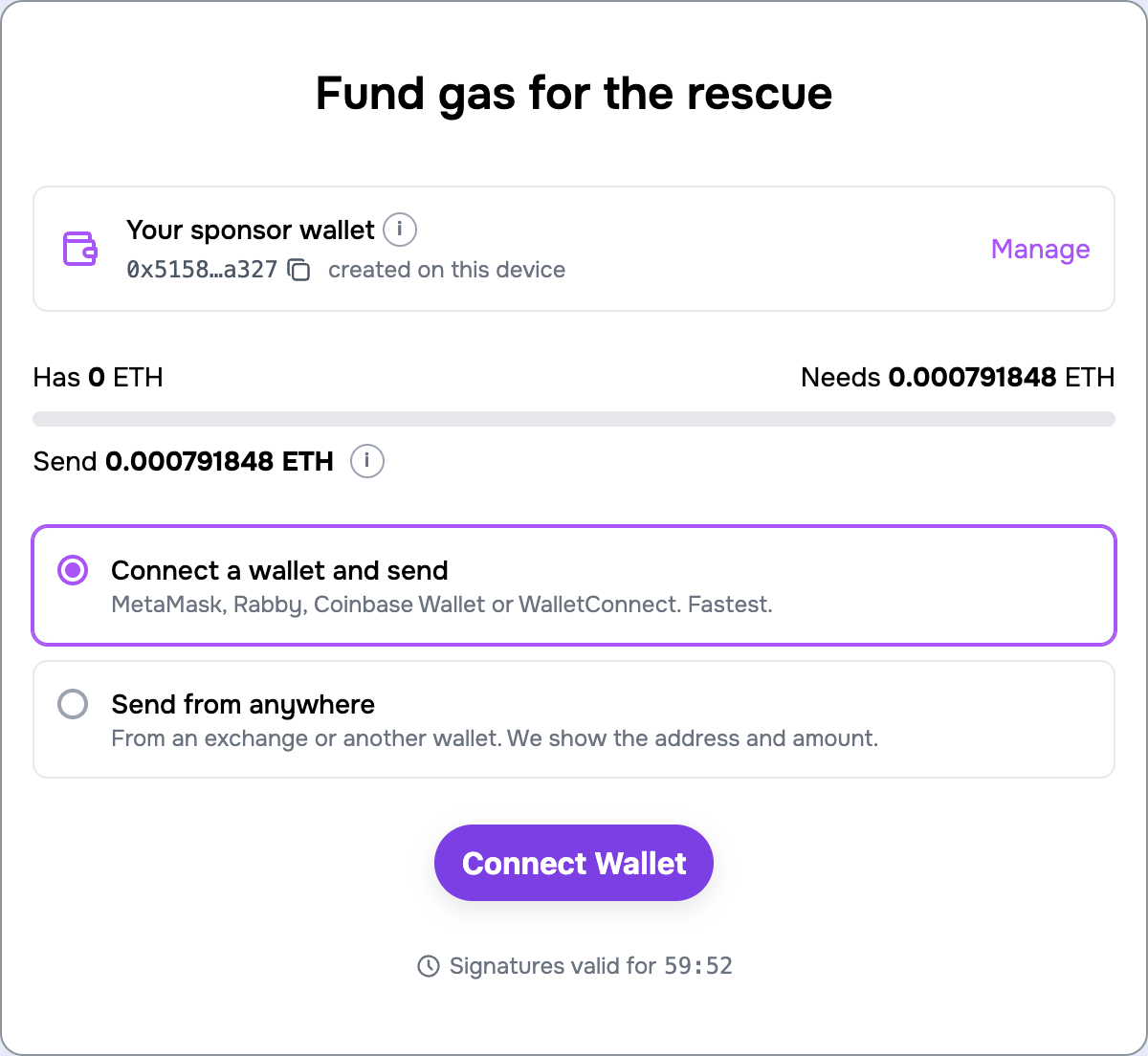
- Fund gas. The screen shows what your sponsor wallet has and what the rescue needs; you only send the difference. Either connect a wallet and send it with one click, or pick "Send from anywhere" and send to the address shown. The app notices the deposit and moves on by itself. See Your sponsor wallet and gas.
Step 3: Monitor
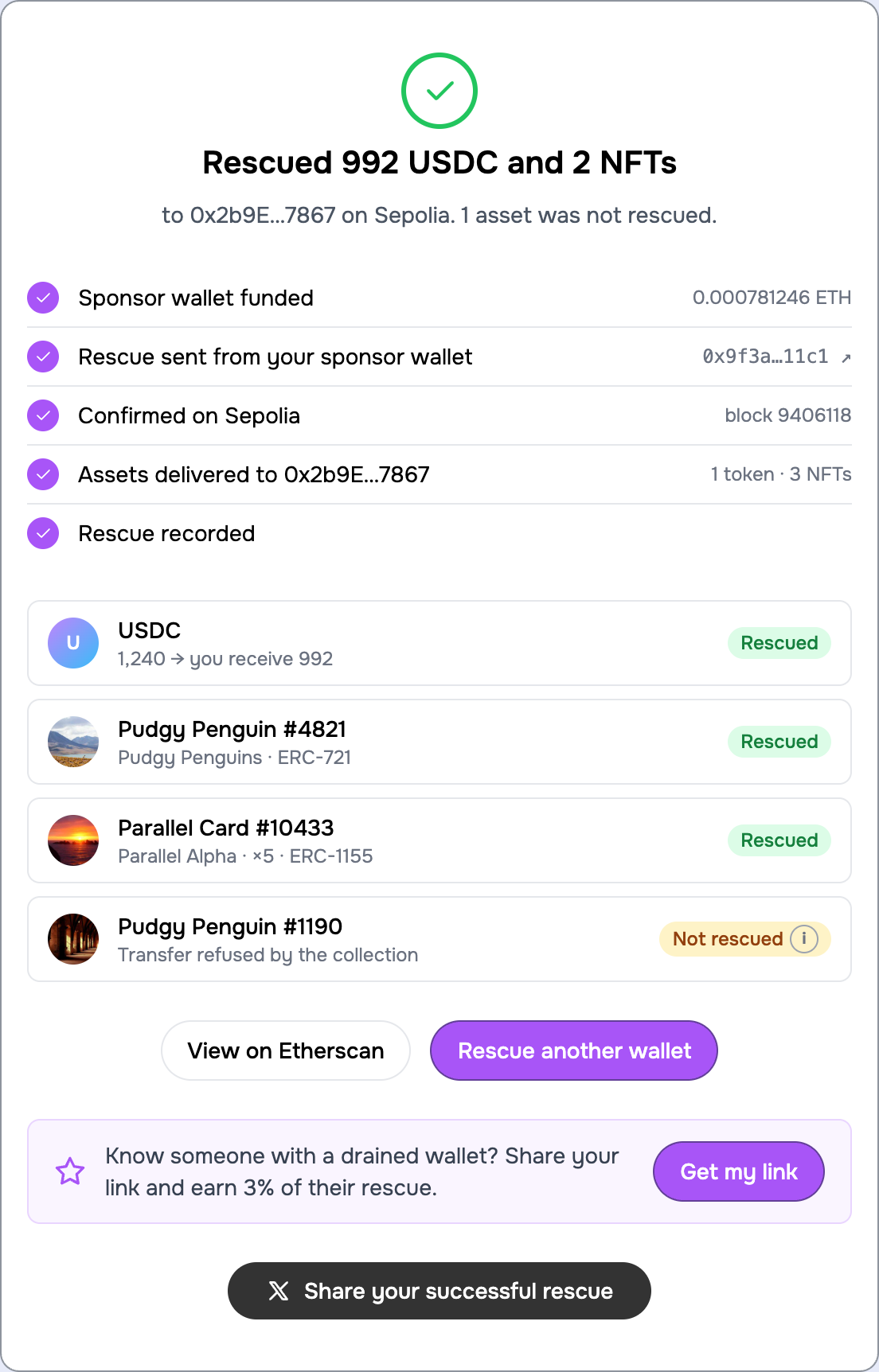
The rescue is sent from your sponsor wallet as soon as the gas is there. You see it sent, confirmed with the block number, and each asset's outcome: "Rescued", or "Not rescued" with the reason when a token or collection refused the transfer. When it is done you can open the transaction on the explorer, rescue another wallet, or withdraw leftover gas from the sponsor wallet.
Was this helpful?