Rescue airdrops
Claim an airdrop owed to a hacked wallet and move it to safety in the same transaction.
If an airdrop is waiting on a hacked wallet, claiming it normally hands it to whoever is watching that wallet. RescueFi runs the claim and the sweep in one transaction, so there is no moment when the tokens sit in the wallet for a bot to take.
What you need
- The hacked wallet's private key.
- The airdrop contract, the address the claim is sent to.
- The claim data, the hex that starts with
0xand tells the contract what you are claiming. - The token it pays out.
- A safe wallet address.
Find the contract and claim data
Your wallet shows both when you start the claim, before you approve anything. Only use the airdrop's official site, because this data runs from the hacked wallet. Open the airdrop's claim page, connect the hacked wallet and click Claim, then follow the steps for your wallet. When you have what you need, reject the request; the rescue makes the claim for you.
MetaMask
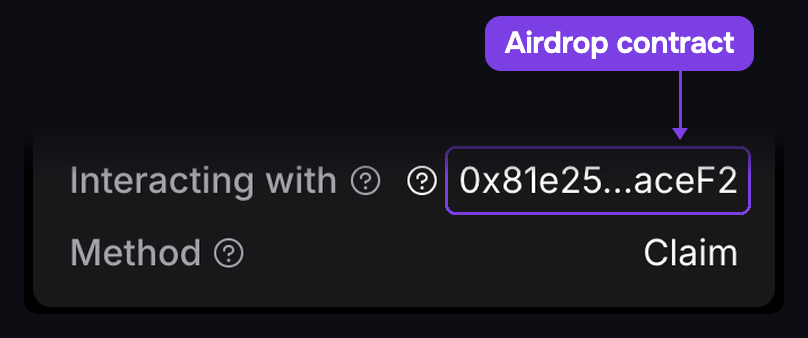
- Next to Interacting with, click the address and copy it. That is the airdrop contract.
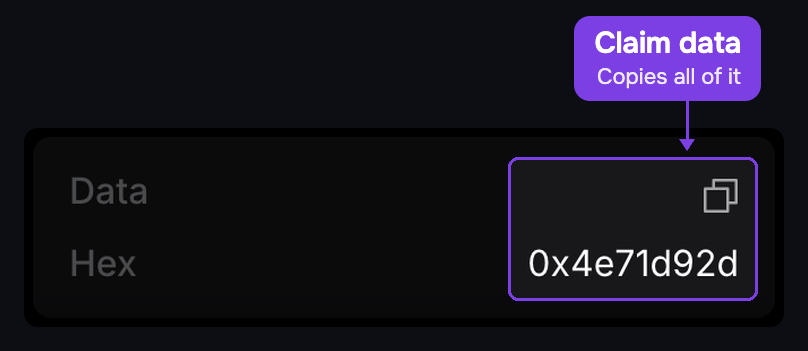
- Next to Data, click the copy button. That copies the whole claim data.
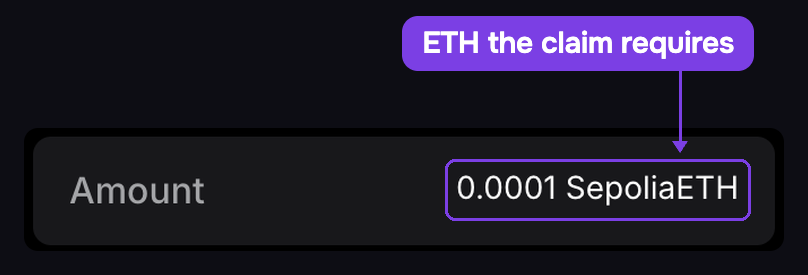
- Check Amount. If it is above zero, the claim requires that much ETH.
Rabby
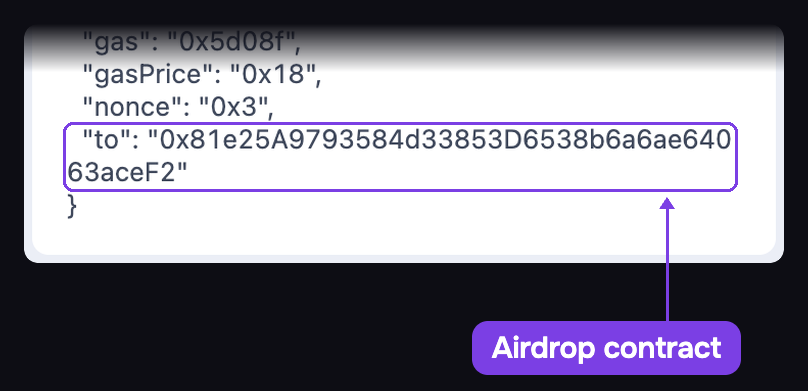
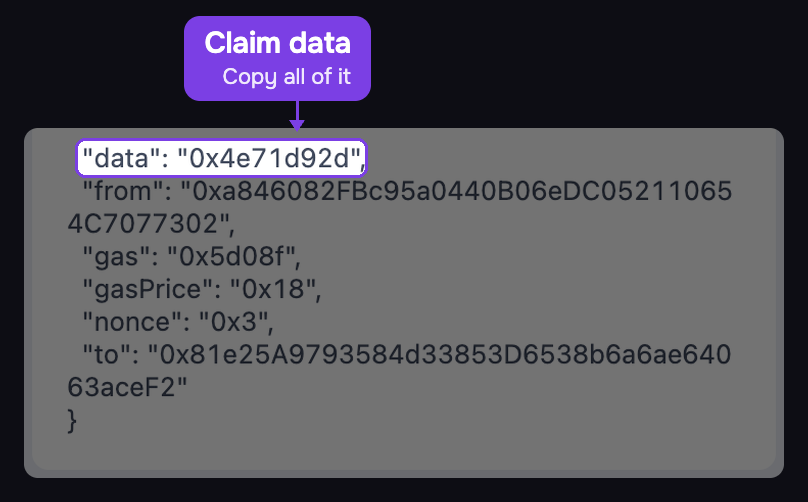
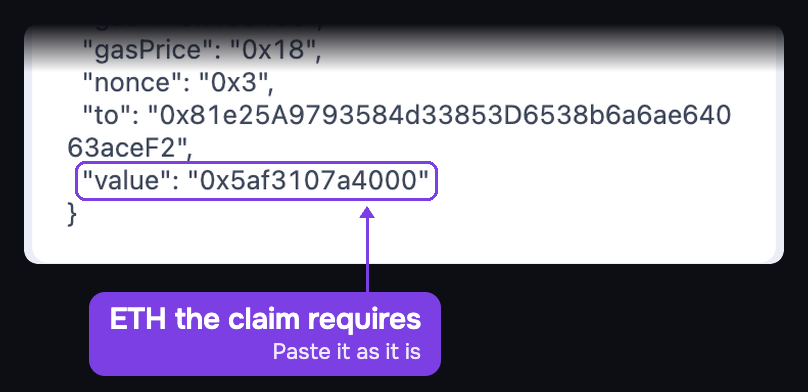
- Find Transaction Data. If it isn't there, click View Raw.
- Copy the address after
"to". That is the airdrop contract. It may wrap onto a second line. - Copy everything after
"data", however many lines it runs to. That is the claim data. Quotes are fine; the app removes them. - If there is a
"value", the claim requires ETH. Paste it as it is; the app converts it to ETH. No"value"means the claim needs none.
The check before you sign
As soon as the details are filled in, the app runs the claim as a simulation and tells you what it found. Nothing is sent.
- It works: you see about how much you get after the fee.
- It is rejected: the wallet may not be eligible, may have claimed already, or the claim data may be wrong.
- None of the token arrives: the token address may be wrong, or the airdrop may pay out to a different address.
Fees and gas
The usual 10% fee applies to the token it pays out, including any balance of that token the wallet already held. Your sponsor wallet pays the gas. If the claim itself requires the native coin, add the amount under "This claim requires" and your sponsor wallet sends it along with the rescue. You fund that amount on top of gas.
What can go wrong
A claim can be accepted and still credit nothing to the wallet, for example when the airdrop pays out to another address. Then the rescue reports that no tokens reached the wallet. You still pay the gas for that transaction, and the wallet's referrer is recorded.
Airdrops that pay out NFTs aren't supported yet.